· The Rapid Architect Team · AI · 10 min read
Claude for Small Business: Anthropic's Game-Changing AI Play for the Underserved SMB Market
Anthropic's Claude for Small Business brings enterprise-grade AI automation to SMBs through simple toggle-switch integrations with QuickBooks, PayPal, HubSpot, and other essential business tools—no technical expertise required.

Podcast Discussion
Introduction
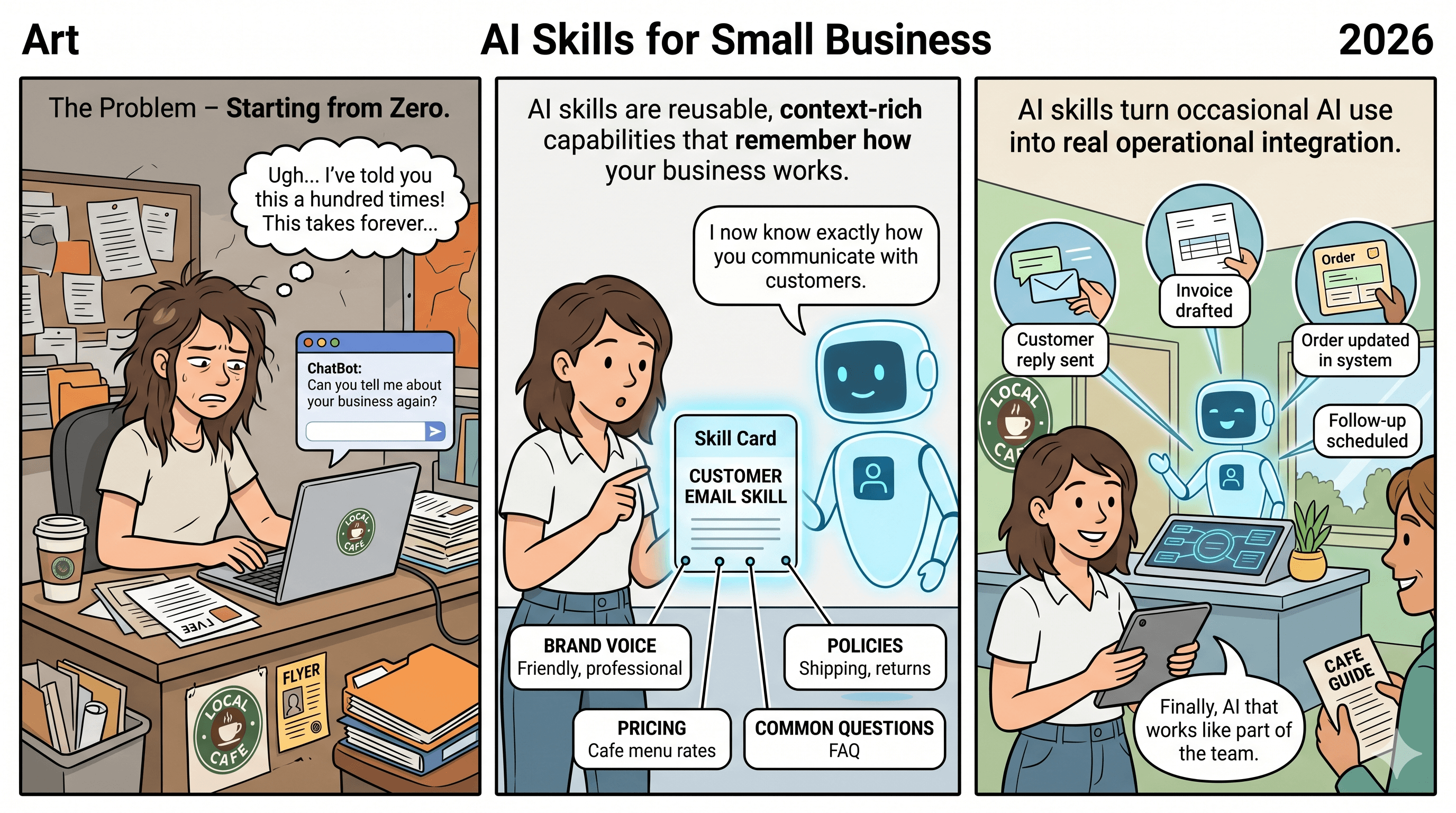
For years, small and medium business owners have watched from the sidelines as enterprise giants deployed sophisticated artificial intelligence systems with dedicated tech teams and seven-figure budgets. The promise of artificial intelligence—automating tedious tasks, streamlining operations, and freeing up time for strategic work—seemed perpetually out of reach for the local accounting firm, the growing e-commerce shop, or the family-owned manufacturing business.
That changed on May 13, 2026, when Anthropic announced Claude for Small Business, a product that signals a fundamental shift in how artificial intelligence companies view the SMB market. This isn’t just another chatbot with a business-friendly price tag. It’s a comprehensive rethinking of what artificial intelligence deployment should look like for companies without dedicated IT departments [1].
If you’re a small business owner who has been curious about artificial intelligence but intimidated by the complexity, this development deserves your attention. Let’s break down what this means for your business and why the timing couldn’t be better.
The SMB artificial intelligence Adoption Gap: Why Small Businesses Have Been Left Behind
The statistics tell a stark story. While enterprise companies have been racing to integrate artificial intelligence into every facet of their operations, small businesses have largely remained on the outside looking in. The barriers weren’t just financial—though cost certainly played a role. The real obstacles were complexity, integration challenges, and the lack of technical expertise needed to make artificial intelligence actually useful [6].
As CXToday reported, Anthropic specifically designed Claude for Small Business to bridge this “artificial intelligence automation gap” that has kept SMBs from benefiting from the same productivity gains their larger competitors enjoy [6]. The company recognized that small business owners don’t have time to learn prompt engineering, configure API connections, or build custom workflows from scratch.
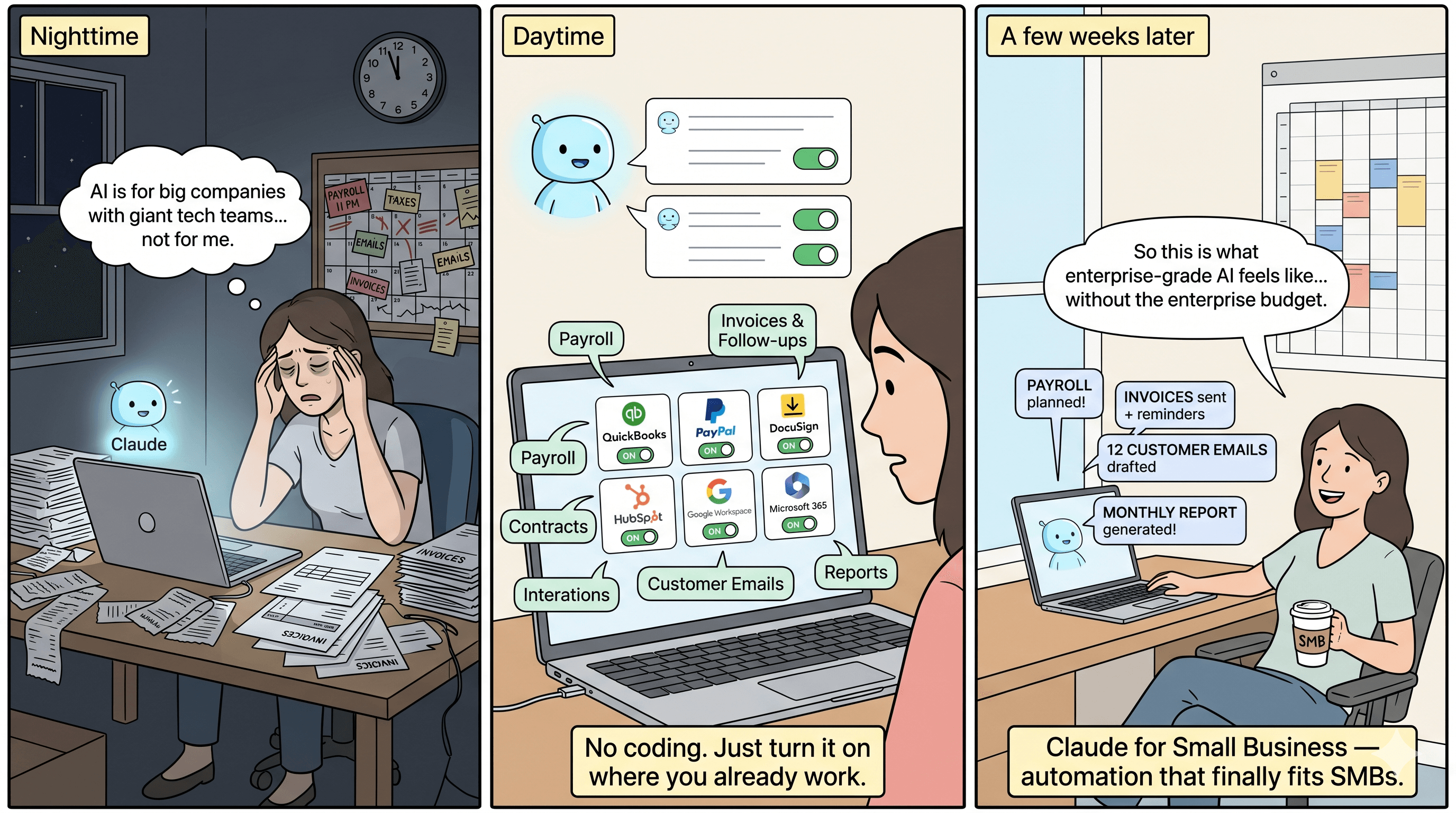
“The small business owner is running payroll at 11 PM, answering customer emails at 6 AM, and somehow still needs to find time to think strategically about growth,” noted industry analysts covering the launch. The last thing they need is another complex technology platform requiring weeks of setup and ongoing maintenance.
What Claude for Small Business Actually Delivers
Unlike previous artificial intelligence offerings that required significant technical setup, Claude for Small Business takes a radically different approach: toggle-switch simplicity. The package includes connectors that allow Claude to work directly inside the tools small businesses already use—Intuit QuickBooks, PayPal, DocuSign, HubSpot, Google Workspace, and Microsoft 365 [3].
The Verge’s coverage highlighted the practical implications: “It can plan payroll, close the books, draft contracts, and respond to customer inquiries—all from within the software you’re already paying for” [3]. This isn’t about adding another application to your already crowded tech stack. It’s about making your existing tools smarter.
The offering ships with 15 pre-built agent workflows covering the tasks that consume the most time for small business owners [5]:
- Payroll processing and planning
- Invoice generation and follow-up
- Tax preparation assistance
- Contract drafting and review
- Customer email responses
- Appointment scheduling
- Expense categorization
- Report generation
Each workflow is designed to handle end-to-end processes rather than just individual tasks. For example, the invoicing workflow doesn’t just create invoices—it can track payment status, send follow-up reminders, and flag overdue accounts for your attention [5].
The Integration Advantage: Meeting Businesses Where They Are
Perhaps the most significant aspect of this launch is Anthropic’s decision to embed Claude directly into existing business software rather than asking users to adopt yet another platform. This approach reflects a mature understanding of how small businesses actually operate.
SiliconANGLE reported that Claude for Small Business represents “the fifth major product evolution” for Anthropic, but it’s the first specifically designed for the downmarket segment [7]. The company clearly studied what hadn’t worked in previous artificial intelligence-for-SMB attempts: standalone tools that required users to copy-paste information between applications, learn new interfaces, and fundamentally change their workflows.
The seven named integrations at launch cover the core operational needs of most small businesses [10]:
- QuickBooks - For accounting and financial management
- PayPal - For payment processing and transaction tracking
- DocuSign - For contract and document management
- HubSpot - For customer relationship management
- Google Workspace - For email, documents, and collaboration
- Microsoft 365 - For productivity and communication
- Calendar applications - For scheduling and time management
This integration-first approach means that adopting Claude for Small Business doesn’t require changing how you work—it enhances the tools you’re already using.
Pricing and Accessibility: No Extra Cost Barrier
One of the most surprising aspects of the launch is the pricing structure. According to artificial intelligence Tool Briefing’s analysis, there are “zero extra dollars beyond an existing Claude subscription and whatever software the business already uses” [10]. This removes one of the primary objections small business owners typically raise when evaluating new technology.
For businesses already subscribing to Claude Pro or Max, the small business features become available as an add-on rather than a separate product requiring additional investment. This approach dramatically lowers the barrier to adoption and allows businesses to experiment with artificial intelligence automation without committing to significant new expenditures.
However, there’s an important caveat that The Register highlighted in their coverage: depending on your Anthropic subscription tier, some business data might be used for artificial intelligence training purposes [4]. Pro and Max business users should carefully review the data handling policies before connecting sensitive financial or customer information. For businesses handling particularly sensitive data, this consideration should factor into the decision-making process.
Real-World Applications: How SMBs Can Put Claude to Work
Let’s move from features to practical applications. Here’s how different types of small businesses might leverage Claude for Small Business:
Professional Services Firms
Law offices, accounting practices, and consulting firms spend enormous amounts of time on document preparation and client communication. With Claude integrated into document management tools, these firms can draft initial contracts, prepare engagement letters, and respond to routine client inquiries in a fraction of the time. The DocuSign integration means contracts can move from draft to signature with minimal manual intervention.
E-Commerce and Retail
Online sellers juggle inventory management, customer service, and financial tracking across multiple platforms. Claude’s ability to work within PayPal and accounting software means automatic reconciliation of transactions, intelligent responses to customer questions about orders, and proactive alerts about cash flow issues before they become problems.
Service-Based Businesses
From HVAC companies to marketing agencies, service businesses live and die by their ability to schedule efficiently and follow up with clients. The calendar integrations and HubSpot connectivity allow Claude to handle appointment scheduling, send follow-up communications, and maintain customer relationship records without manual data entry.
Healthcare Practices
Small medical and dental practices can use Claude to handle appointment reminders, insurance verification follow-ups, and routine patient communications—all while maintaining the human touch for sensitive clinical matters.
The Broader Trend: White-Collar artificial intelligence Goes Mainstream
Yahoo News UK’s coverage positioned Claude for Small Business as an indicator of “where white-collar artificial intelligence is heading” [8]. The launch suggests that artificial intelligence companies are moving beyond the early-adopter enterprise market and beginning to address the mass market of smaller businesses.
This shift has implications beyond just Anthropic’s product strategy. It signals that artificial intelligence technology has matured to the point where it can be packaged for users without technical backgrounds. The emphasis on pre-built workflows and toggle-switch activation reflects confidence that the underlying artificial intelligence is reliable enough for business-critical tasks.
TechCrunch noted that Anthropic is “courting a new kind of customer” with this launch—one who “less resembles” the enterprise clients that have dominated artificial intelligence vendor attention [2]. This represents a strategic bet that the SMB market, while individually smaller in deal size, represents enormous aggregate opportunity.
Implementation Considerations: Getting Started the Right Way
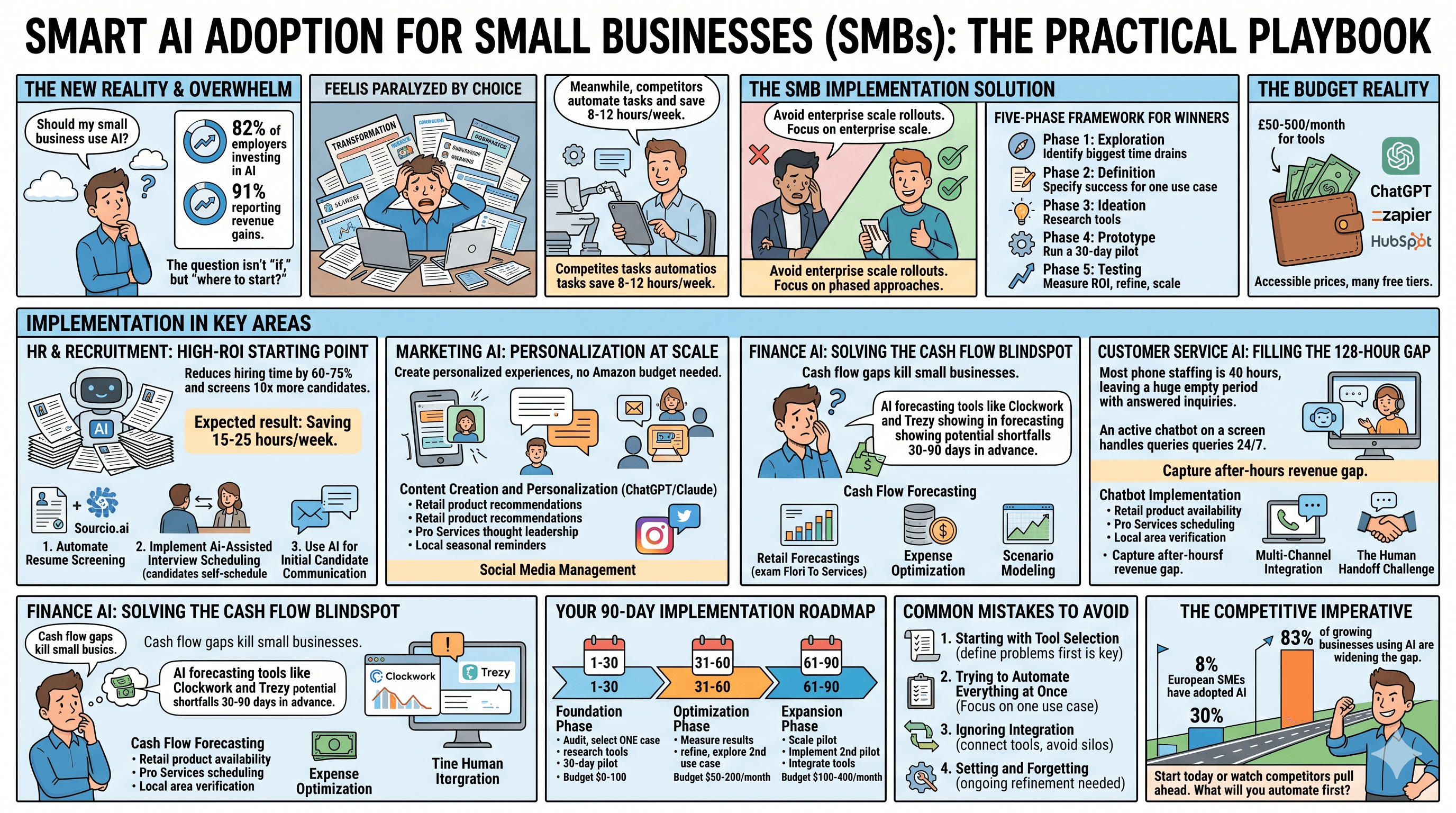
If you’re considering Claude for Small Business for your organization, here’s a practical roadmap for evaluation and implementation:
Step 1: Audit Your Current Tools
Before activating any artificial intelligence features, document which of the supported platforms you’re currently using. The value proposition is strongest when you’re already invested in the integrated ecosystem. If you’re using QuickBooks for accounting and Google Workspace for email, you’re well-positioned to benefit immediately.
Step 2: Identify Your Biggest Time Drains
Look at the 15 pre-built workflows and identify which ones address your most significant pain points. If you spend hours each week on invoicing and payment follow-up, start there. If customer email responses consume your mornings, that might be your entry point.
Step 3: Start with Low-Risk Processes
Begin with workflows where errors have limited consequences. Drafting initial email responses that you review before sending is lower risk than automating payroll processing. Build confidence and familiarity before expanding to more critical functions.
Step 4: Review Data Handling Policies
As The Register emphasized, understand exactly how your data will be handled based on your subscription tier [4]. For businesses in regulated industries or those handling sensitive customer information, this step is non-negotiable.
Step 5: Train Your Team
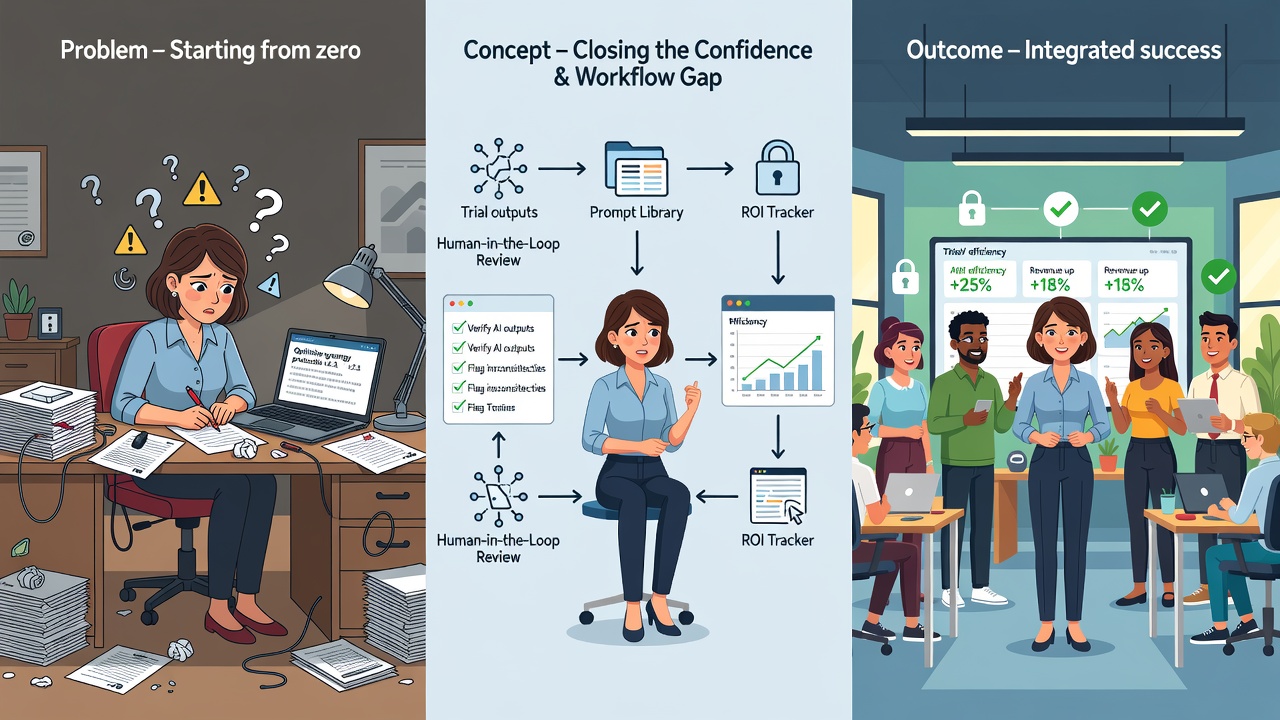
Even though Claude for Small Business is designed for simplicity, your team needs to understand how to work alongside artificial intelligence tools effectively. This means knowing when to trust automated outputs, when to intervene, and how to provide feedback that improves results over time.
What This Means for the Competitive Landscape
Anthropic’s move into the SMB space will likely trigger responses from competitors. Microsoft has been integrating Copilot features across its 365 suite, and Google has been expanding Gemini capabilities within Workspace. The difference with Claude for Small Business is the explicit focus on pre-built workflows rather than general-purpose artificial intelligence assistance.
For small business owners, this competition is unambiguously positive. It means more options, better features, and likely continued pressure on pricing. The key is to avoid getting locked into any single ecosystem prematurely while the market continues to evolve.
Looking Ahead: The Future of artificial intelligence-Powered Small Business
The launch of Claude for Small Business represents more than just a new product—it’s a statement about the democratization of artificial intelligence technology. The tools that were once available only to companies with dedicated data science teams are now accessible to the solo entrepreneur and the 10-person shop.
This doesn’t mean artificial intelligence will replace the need for human judgment in small business operations. Rather, it shifts the role of the business owner from executing routine tasks to overseeing artificial intelligence-assisted processes and focusing on the strategic decisions that actually drive growth.
As artificial intelligence Tool Briefing observed, this is “a product nobody who watches this company would have predicted twelve months ago” [10]. That unpredictability suggests we’re still in the early stages of understanding how artificial intelligence will reshape small business operations. The businesses that experiment thoughtfully now will be best positioned to capitalize as these tools continue to mature.
Conclusion: The Time to Explore Is Now
For small business owners who have been waiting for artificial intelligence to become practical and accessible, Claude for Small Business represents a genuine inflection point. The combination of pre-built workflows, toggle-switch simplicity, and integration with existing tools removes many of the barriers that previously made artificial intelligence adoption impractical for smaller organizations.
This doesn’t mean you should rush to automate everything overnight. The wisest approach is to start small, choose workflows that address genuine pain points, and expand gradually as you build confidence in the technology. Pay attention to data handling policies, especially if you’re in a regulated industry or handling sensitive customer information.
The competitive advantage that enterprise companies have enjoyed through artificial intelligence adoption is becoming available to businesses of all sizes. The question is no longer whether small businesses can benefit from artificial intelligence—it’s whether they can afford to ignore it while competitors move forward.
The tools are ready. The integrations are in place. The only remaining variable is whether you’re ready to take the first step.
Sources
- [1] https://www.anthropic.com/news/claude-for-small-business - Official Anthropic announcement of Claude for Small Business launch
- [2] https://techcrunch.com/2026/05/13/anthropic-courts-a-new-kind-of-customer-small-business-owners/ - TechCrunch coverage of Anthropic’s SMB market strategy
- [3] https://www.theverge.com/ai-artificial-intelligence/929727/anthropic-is-launching-claude-for-small-business - The Verge report on Claude for Small Business features and integrations
- [4] https://www.theregister.com/ai-ml/2026/05/13/anthropic-butts-in-to-small-business-promises-help-with-payroll-and-other-core-tasks/5239967 - The Register analysis including data handling considerations
- [5] https://the-decoder.com/anthropic-launches-claude-for-small-business-to-embed-ai-into-the-tools-you-forgot-you-pay-for/ - The Decoder coverage of 15 agent workflows
- [6] https://www.cxtoday.com/ai-automation-in-cx/anthropic-claude-for-small-business/ - CXToday report on SMB AI adoption gap
- [7] https://siliconangle.com/2026/05/13/anthropic-launches-claude-small-business-new-automation-workflows/ - SiliconANGLE coverage of product evolution
- [8] https://uk.news.yahoo.com/claude-small-business-shows-where-182135085.html - Yahoo News UK analysis of white-collar AI trends
- [10] https://aitoolbriefing.com/industry/claude-for-small-business-launch-2026/ - AI Tool Briefing detailed feature breakdown