· The Rapid Architect Team · AI · 9 min read
AI Agents vs Chatbots: Closing the Knowledge Gap for Small Business Owners
Many SMB leaders still mix up AI agents with simple chatbots, missing out on end-to-end automation that saves hours each week. This guide explains what agents actually are, shares five narrow proven use cases with real metrics, provides 2026 cost ranges, human oversight rules, and ready-to-copy prompt templates so you can launch your first pilot in 30 days.
Podcast Discussion
Introduction
artificial intelligence Agents vs Chatbots: Closing the Knowledge Gap for Small Business Owners
Many SMB leaders still mix up artificial intelligence agents with simple chatbots, missing out on end-to-end automation that saves hours each week. This guide explains what agents actually are, shares five narrow proven use cases with real metrics, provides 2026 cost ranges, human oversight rules, and ready-to-copy prompt templates so you can launch your first pilot in 30 days.
The Knowledge Gap That Costs SMBs Hours Every Week
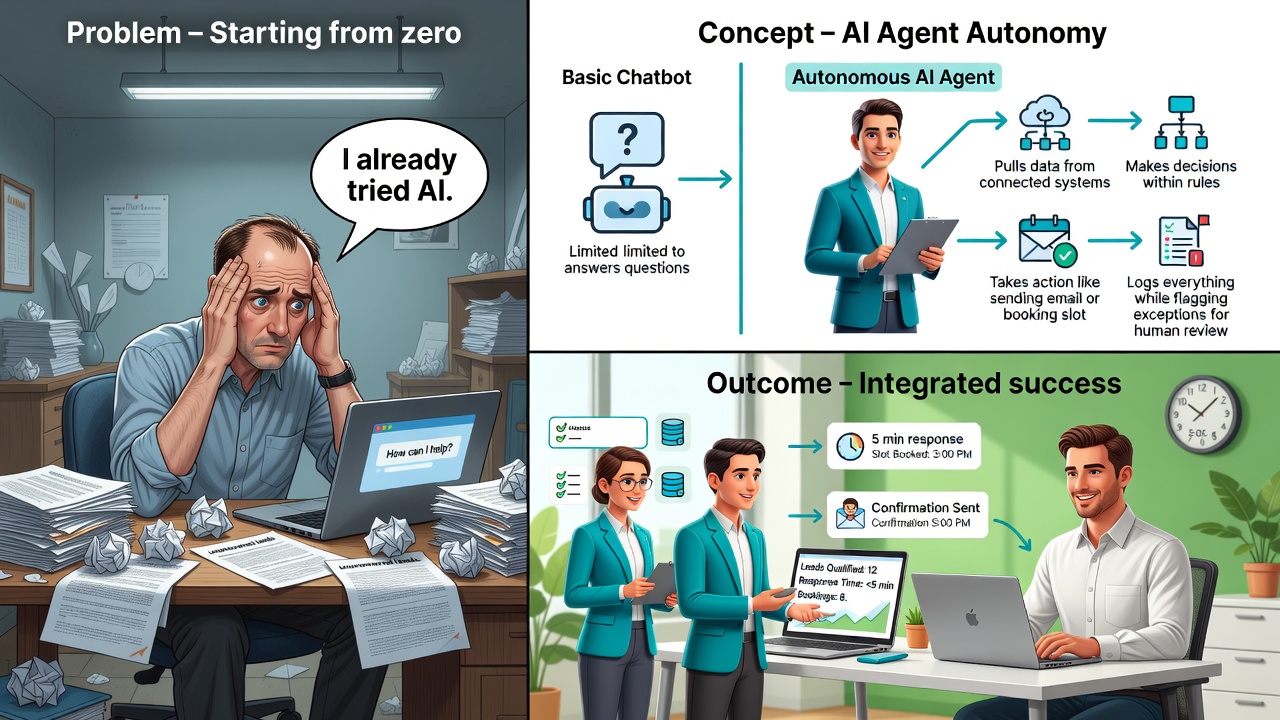
Walk into any small business forum and you will hear owners say they already tried artificial intelligence because they added a chatbot to their website. Yet most of those chatbots still require a human to read every transcript and follow up manually. The result is confusion and stalled projects.
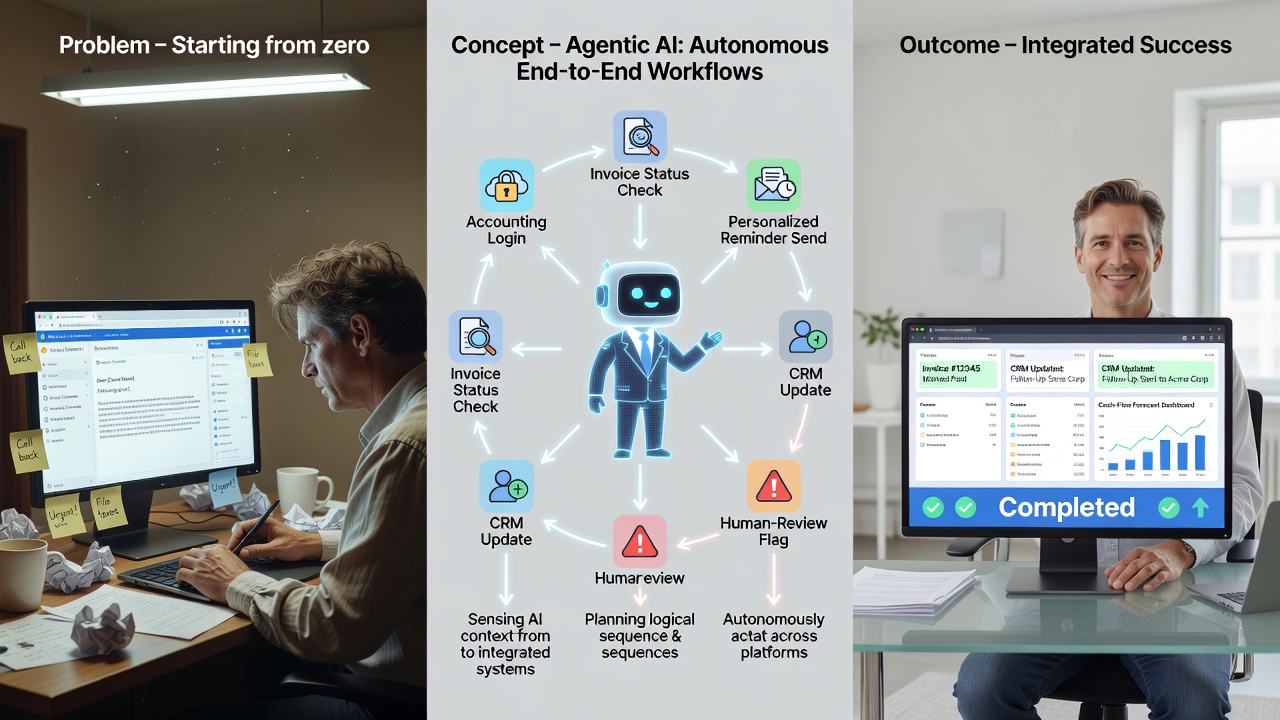
An artificial intelligence agent is not a chatbot. A chatbot answers questions inside one channel. An artificial intelligence agent receives a goal, breaks it into steps, chooses the right tools such as your CRM, calendar, or email, executes the steps, and adapts when something goes wrong without constant human clicks [1]. One industry source puts it simply: “An artificial intelligence agent is software that owns a recurring job end to end” [1].
This distinction matters because 47 specific jobs across seven common SMB roles can already be handed to agents this quarter when scoped narrowly [1]. The five applications below are the ones delivering measurable ROI today. For example, a local plumbing company in Ohio had been losing leads because responses took hours; switching to an agent-based workflow reclaimed those opportunities without adding staff. Skeptical owners often ask whether agents can truly handle edge cases like a customer requesting a custom discount or canceling mid-process. The answer lies in narrow scoping: the agent follows predefined rules and escalates the unusual cases, preventing costly errors while still automating the routine 80 percent of interactions.
Another common objection is integration complexity. In practice, most SMBs start with no-code connectors already present in tools like HubSpot or Google Workspace, avoiding custom development. A Midwest HVAC firm discovered that their existing calendar API allowed the agent to check availability in real time, eliminating the need for manual double-entry that previously consumed 10 hours weekly. By quantifying the time saved against the modest subscription fee, the owner quickly justified the pilot to their accountant.
What an artificial intelligence Agent Actually Is
Think of an agent as a junior employee who never sleeps. You give it a trigger and a goal. It then:
- Pulls data from connected systems
- Makes decisions within rules you set
- Takes action such as sending an email or booking a slot
- Logs everything and flags exceptions for you
A chatbot stops at step one. An agent continues through all four steps. Every source stresses that success only happens when the scope stays narrow and a human reviews any customer-facing output [6]. Implementation detail matters: connect the agent via APIs or no-code platforms like Zapier or Make, then define clear if-then rules so the agent knows when to escalate.
Consider a concrete SMB scenario: a three-person accounting office in Florida receives 40 client emails daily asking for invoice status. The owner sets the agent to monitor the inbox, cross-reference the accounting software, and draft responses using the firm’s exact tone. The agent only sends after the owner clicks approve. In the first month the team reclaimed six hours per week. Objections about data privacy are addressed by keeping all processing within the firm’s existing secure accounts and requiring explicit approval before any external message leaves the system.
Five Narrow Applications That Deliver ROI Today
1. Speed-to-Lead Response
Before: New form submissions sat in the CRM for 2-4 hours. Conversion dropped 30 percent after the first hour.
After: An agent qualifies the lead, enriches data from public sources, and books a calendar slot within five minutes. One landscaping company cut response time from 187 minutes to 4 minutes and booked 22 percent more jobs in the first month [9]. A second SMB example is a real-estate team in Texas that added a simple enrichment step pulling LinkedIn data, raising qualified leads by 15 percent.
Trigger: New form entry in CRM.
A skeptical owner might worry that an automated response could feel impersonal. The solution is to embed brand voice guidelines and require human approval on the first three messages. After that, the agent learns from corrections, improving accuracy while the owner monitors conversion rates weekly. Implementation typically takes two hours: map the form fields to the agent, connect the calendar, and set a 70 percent confidence threshold for auto-proposals.
2. Website and FAQ Support
Before: Staff spent 8 hours weekly answering the same ten questions.
After: The agent pulls answers from your internal knowledge base and only escalates when confidence drops below 85 percent. A dental practice reduced live chat volume by 65 percent while maintaining a 4.8-star satisfaction score [7]. Another concrete case: a boutique fitness studio used the same setup to handle membership questions, freeing the owner for two extra client sessions per week.
Trigger: Visitor clicks the help widget.
For a retail gift shop, the agent was trained on 50 common product questions. When a customer asked about gift-wrapping options, the agent answered instantly and offered an upsell the owner had pre-approved. Time saved: five hours monthly. The owner addressed the objection of “what if the answer is wrong” by routing every answer below 90 percent confidence to a staff member within 30 seconds, preserving customer trust.
3. Appointment Booking
Before: Front-desk staff spent 90 minutes daily playing phone tag.
After: The agent checks availability, proposes three slots, confirms with the client, and writes the appointment into the calendar. A consulting firm saved 12 hours per week and cut no-shows by 18 percent using a simple confirmation step [4]. An HVAC company implemented the workflow and reported that the agent now handles 80 percent of routine rescheduling without human input.
Trigger: Client replies yes to a meeting request.
Implementation involves linking the agent to both email and calendar APIs, then defining buffer times between appointments. A solo consultant in Oregon objected that the agent might overbook; the fix was adding a 15-minute buffer rule and requiring approval on any same-day change. The result was 10 reclaimed hours weekly at a software cost of under $100 per month.
4. Weekly Reporting and Summaries
Before: Owners spent Sunday evening pulling numbers from three systems.
After: Every Monday at 7 a.m. the agent gathers CRM, accounting, and email data, drafts a one-page summary, and highlights anomalies. A retail store owner now reviews a finished report in four minutes instead of 45 [2]. A small law firm added a variance alert that flags billing anomalies over 10 percent, catching errors that previously cost thousands.
Trigger: Scheduled Monday morning.
A restaurant owner worried the report would miss context; the agent was instructed to include a “notes” field where the manager can add commentary before distribution. The quantified benefit: two hours saved every Monday, equating to over 100 hours annually.
5. Inbox Triage and Drafting
Before: Owners read every email to decide priority.
After: The agent labels, prioritizes, and drafts replies using your tone guidelines. You approve or edit in under two minutes per thread. A marketing agency cut daily email time from 75 minutes to 22 minutes [5]. A solo accountant used the same agent to sort client requests by urgency, reducing missed deadlines to zero.
Trigger: New email arrives.
Implementation requires uploading three sample emails to train tone, then setting escalation rules for messages containing words like “urgent” or “complaint.” The accountant addressed privacy concerns by keeping all data within the firm’s Microsoft 365 tenant and logging every draft for later audit.
2026 Cost Ranges and Mandatory Human Oversight
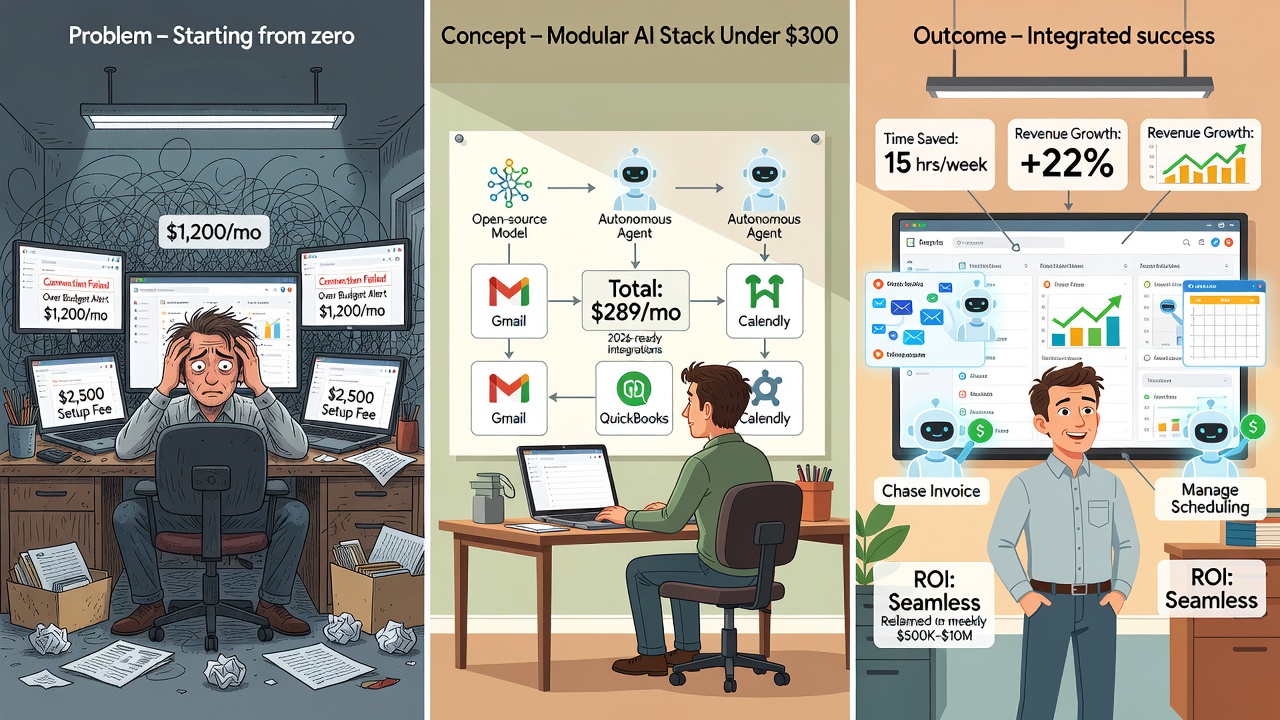
Entry-level agents that handle one workflow cost 50 to 300 dollars per month. Mid-tier agents that run several connected tasks cost 400 to 1200 dollars monthly [3]. These figures cover software only; implementation time is extra but usually limited to a few hours when you start narrow.
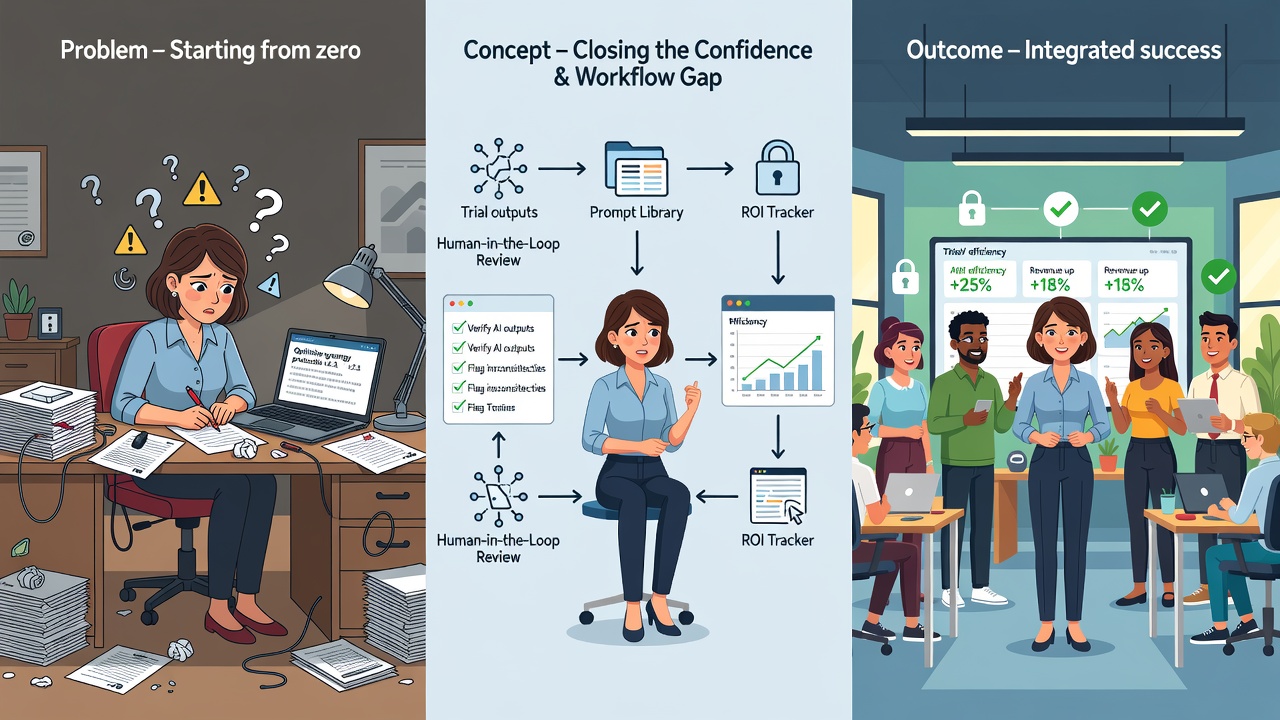
Human oversight rules that every source repeats:
- Require manager sign-off before any external email or calendar change
- Log every action the agent takes
- Set confidence thresholds so low-confidence actions always route to a human
- Review logs weekly for the first 90 days
Cost-control tip: begin with one 99-dollar workflow, measure hours saved, then expand. A plumbing company tracked 14 hours saved in month one, yielding a 6x ROI even after the subscription fee.
Two Ready-to-Adapt Prompt Templates
Lead Qualification Agent Template
You are a lead qualification agent for [Business Name].
When a new form submission arrives:
1. Score the lead 1-10 using these criteria: budget, timeline, decision maker.
2. Enrich with public company data if available.
3. If score is 7 or higher, propose three calendar slots from [Calendar Link].
4. Draft a friendly email and wait for human approval before sending.
Log every step and flag any lead with missing phone number.
Weekly Report Agent Template
Every Monday at 7 a.m. pull last week numbers from [CRM] and [Accounting Tool].
Create a one-page summary with these sections:
- Revenue vs target
- New leads and conversion rate
- Top three issues flagged by support tickets
Highlight any metric that moved more than 15 percent week-over-week.
Draft the summary and tag me for final review before distribution.
Copy, paste, and replace the bracketed items with your own tool names.
Your 30-Day Pilot Plan
Week 1: Pick one trigger-based task from the five above. Connect the agent to your existing tools and run it in shadow mode (no external actions).
Week 2: Add human approval on every output. Measure time saved and error rate.
Week 3: Lower oversight to spot checks while keeping logs. Compare results to your baseline.
Week 4: Decide to keep, expand, or adjust the workflow. Document the hours reclaimed and the dollar impact.
Most SMBs see positive ROI within the first month when they keep the scope narrow and maintain the human checkpoint [8]. A fitness studio owner used week-three data to prove the agent saved nine hours weekly, securing buy-in from a skeptical partner.
Ready to Move From Confusion to Your First Win
The gap between chatbots and agents is not technical jargon. It is the difference between answering questions and owning outcomes. Start with one recurring task, set clear rules, and keep a human in the loop. In 30 days you will have data instead of assumptions.
Book a 15-minute demo at [your link] to map your highest-impact workflow. The businesses that act this quarter will be the ones wondering why everyone else is still answering the same emails in 2027.
Sources
[1] https://machinelike.ai/guides/ai-agents-for-business
[2] https://deskferry.com/blog/ai-agents-for-business
[3] https://www.lilachbullock.com/what-are-ai-agents-and-how-your-business-can-use-them/
[4] https://kengavranovic.com/insights/ai-agents-for-business/
[5] https://builts.ai/blog/what-are-ai-agents-for-business/
[6] https://factoryjet.com/blog/ai-chatbots-vs-ai-agents-business
[7] https://aitechcorner.com/ai-agent-examples-for-small-business-2026/
[8] https://the-aischool.com/guides/ai-agent-examples
[9] https://binarybits.co/blog/ai-agents-for-small-businesses
[10] https://maazsiddiqui.com/blog/ai-agents-for-business
Sources
- https://machinelike.ai/guides/ai-agents-for-business
- https://deskferry.com/blog/ai-agents-for-business
- https://www.lilachbullock.com/what-are-ai-agents-and-how-your-business-can-use-them/
- https://kengavranovic.com/insights/ai-agents-for-business/
- https://builts.ai/blog/what-are-ai-agents-for-business/
- https://factoryjet.com/blog/ai-chatbots-vs-ai-agents-business
- https://aitechcorner.com/ai-agent-examples-for-small-business-2026/
- https://the-aischool.com/guides/ai-agent-examples
- https://binarybits.co/blog/ai-agents-for-small-businesses
- https://maazsiddiqui.com/blog/ai-agents-for-business